Murmur
Push-to-talk dictation for macOS using your own OpenAI API key
Claude Code
WatchThis combines screen video with structured interaction evidence, sends demonstrations through a reviewed analysis workflow, and exports portable Computer Use skill packages.
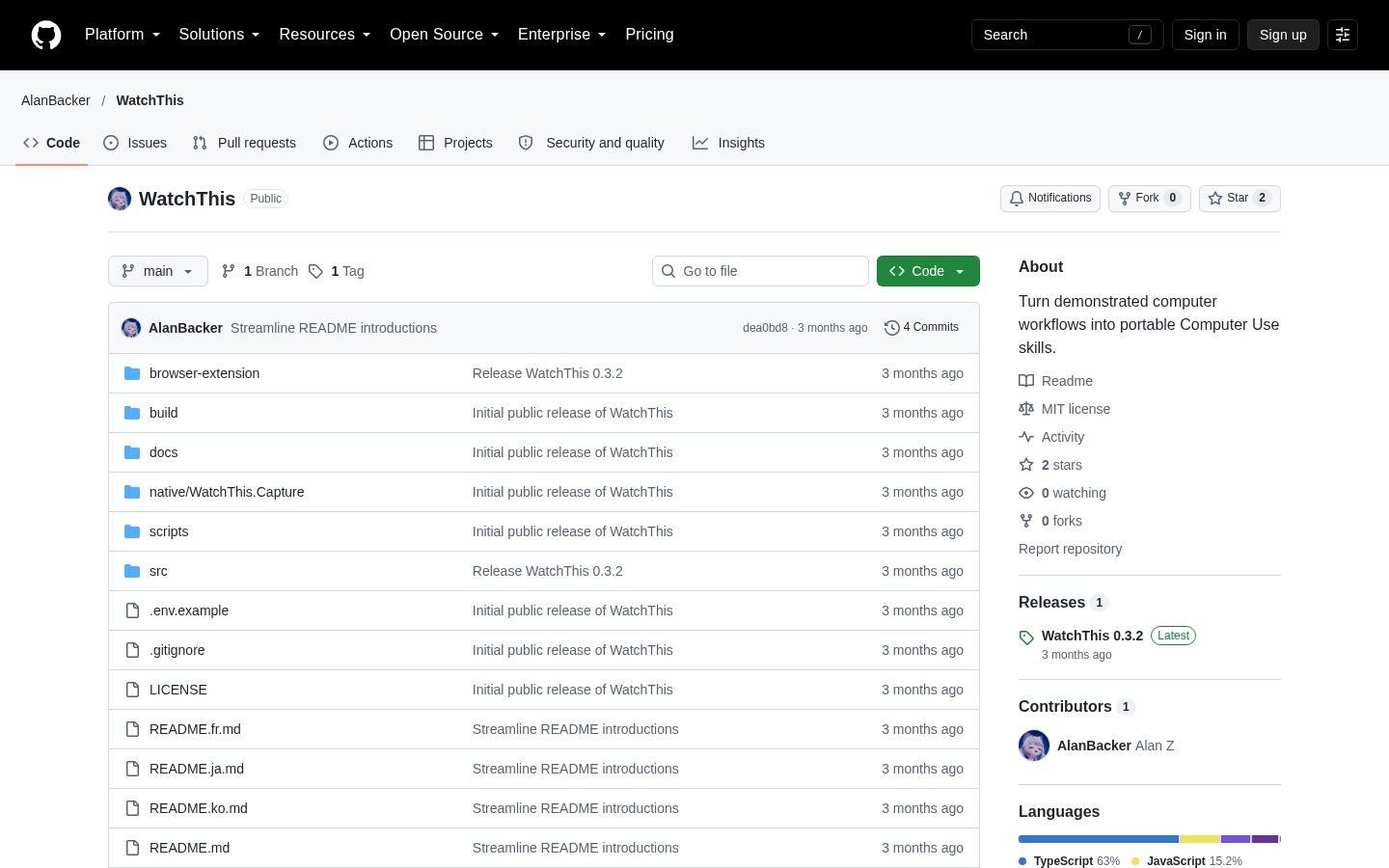
WatchThis is a Windows-first desktop application that converts a screen recording or uploaded video into a reviewed, portable Computer Use skill. Its central premise is that video alone may miss quick clicks, hotkeys, or the intent behind a visible action. For live recordings, WatchThis can align the video with a structured interaction trace captured on the same timeline. The resulting package is intended to describe how an agent should operate a visible computer; it does not provide Computer Use capabilities by itself. The project is released under the MIT License and has a downloadable Windows x64 installer for version 0.3.2. [1]
The documented workflow begins with either a live demonstration recorded in WatchThis or an existing video selected by the user. During live recording, the application can collect privacy-aware evidence such as mouse positions, clicks, wheel and drag events, key and hotkey events, foreground-window and process changes, window titles, focus changes, UI Automation or accessibility context, clipboard metadata, and selected file-system notifications. Ordinary printable key identification is hidden by default, clipboard contents are not collected by default, and optional browser telemetry is limited rather than being a complete DOM capture. The browser bridge is available for Chrome and Edge and requires an explicit one-session connection before it starts collecting telemetry. [1]
Analysis is divided into logical windows of no more than 60 seconds, with overlap at window boundaries. WatchThis aligns multimodal observations from the video and available trace data, then merges those observations into a structured workflow. The process is designed to retain evidence gaps as uncertainty instead of silently filling them with guesses. Before the workflow is finalized, the user is asked to review or confirm the intended goal, output format, rules, and other details that could change the result. This review step is important because the repository describes generated workflows as environment-dependent and states that every generated workflow still requires validation in its target setting. [1]
After review, the confirmed workflow can be saved in the application’s Skill library, exported as a schema-validated ZIP, or installed into the Codex personal skill directory. The exported package includes readable instructions, Codex metadata, and a platform-neutral workflow specification. The package is an instructional artifact rather than an automation runtime: using it requires an agent platform with interactive Computer Use support. WatchThis therefore fits users who want to turn demonstrations into inspectable workflow specifications, but it should not be evaluated as a standalone agent or as a replacement for the environment in which the resulting skill will run. [1][2]
The packaged application is designed for Windows x64 and includes a self-contained .NET capture helper, so users of the installer do not need to install the .NET SDK separately. A supported model endpoint is still required for real analysis. The documented options include a Gemini endpoint, a Gemini-compatible or New API endpoint, or a vision-capable OpenAI-compatible endpoint. The repository makes clear that the product was engineered in Codex with GPT-5.6 used for development-time repository-aware reasoning; this is development provenance, not a claim that every runtime analysis uses GPT-5.6. The optional browser telemetry path also requires Chrome or Edge and is documented as an unpacked extension during development rather than a conventional published browser extension. [1][2]
For technical evaluators, the repository documents an Electron and React application, a narrow preload IPC bridge, a .NET capture sidecar, provider adapters, a workflow and Skill compiler, shared TypeScript and Zod contracts, and targeted GUI smoke checks. Release notes for version 0.3.2 report 23 test files and 184 passing tests, successful TypeScript checking and production packaging, five-language settings smoke tests, and a local Gemini-compatible recording-to-review smoke flow. These are maintainer-reported validation results, not independent verification. The practical evaluation boundary is consequently clear: inspect the privacy and evidence rules, test the capture and review flow with non-sensitive material, configure a compatible vision endpoint, and validate any exported workflow under supervision before relying on it. [1][2]
| Category | AI Products, Developer Tools |
|---|---|
| Platform | Web |
| Pricing category | Open source |
| Built with | Codex |
| Added to VibeAtlas | October 10, 2026 |
These three questions capture the main product and implementation trade-offs.
Sources: [1] github.com[2] github.com
Use a controlled, non-sensitive workflow and evaluate the complete path rather than only the installer.
Use the Windows x64 installer, which includes the self-contained capture helper, or inspect the repository and run its documented type-check, test, and build commands. The packaged application does not require a separate .NET SDK.
Set up a Gemini, Gemini-compatible/New API, or vision-capable OpenAI-compatible endpoint and test the connection. The supplied material does not establish that model access is included with the application.
Record a controlled workflow in WatchThis or select an existing video. If browser evidence matters, connect the optional Chrome or Edge telemetry bridge explicitly and review what limited semantic information it contributes.
Inspect the inferred goal, steps, evidence gaps, and confirmation requests. Export the reviewed Skill ZIP or save it to the library, then test it only in an agent environment with interactive Computer Use support and appropriate user supervision.
Sources: [1] github.com[2] github.com
Sources: [1] github.com[2] github.com
Recorded research signals from 2026-10-09. The editorial score is a selection heuristic, not a measured product rating. Counts may change.
WatchThis is most compelling as a documented bridge between human demonstrations and agent-readable workflow specifications. Its combination of synchronized traces, overlapping analysis windows, uncertainty preservation, explicit review, and ZIP export gives the product a more defined operating model than a simple video-to-instructions converter.
The constraints are equally important. It is a Windows-first MVP, depends on an externally configured vision endpoint for real analysis, and does not supply the Computer Use runtime needed to execute its output. The reported tests and smoke flows provide useful implementation evidence, but they remain maintainer-provided. The careful conclusion is that WatchThis is worth evaluating for supervised workflow capture and skill authoring, provided the evaluator can validate privacy boundaries, model compatibility, and the exported workflow in its intended environment.
It produces a reviewed, schema-validated Skill ZIP containing readable instructions, Codex metadata, and a platform-neutral workflow specification. It can also save the confirmed workflow in its Skill library or install it into the Codex personal skill directory.
Read the sourceNo. The documentation states that generated skills describe how an agent should operate a visible computer but do not provide Computer Use themselves. An agent platform with interactive Computer Use support is required.
Read the sourceThe supplied release documentation lists a Gemini, Gemini-compatible/New API, or vision-capable OpenAI-compatible endpoint. A supported model endpoint is required for real analysis; the supplied material does not establish that model access is included.
Read the sourceThe documented packaged requirement is Windows x64, and the project describes itself as Windows-first. The supplied material does not establish packaged support for macOS or Linux.
Read the sourceThe Chrome/Edge bridge is loaded as an unpacked extension during development. It starts only after an explicit session connection, removes URL fragments, credentials, and query values, and sends limited semantic control information rather than the complete DOM.
Read the sourceEditorial updated: October 10, 2026. Features, prices and repository counts can change. Evaluation advice is editorial interpretation, not a claim of hands-on testing.