See work across agents
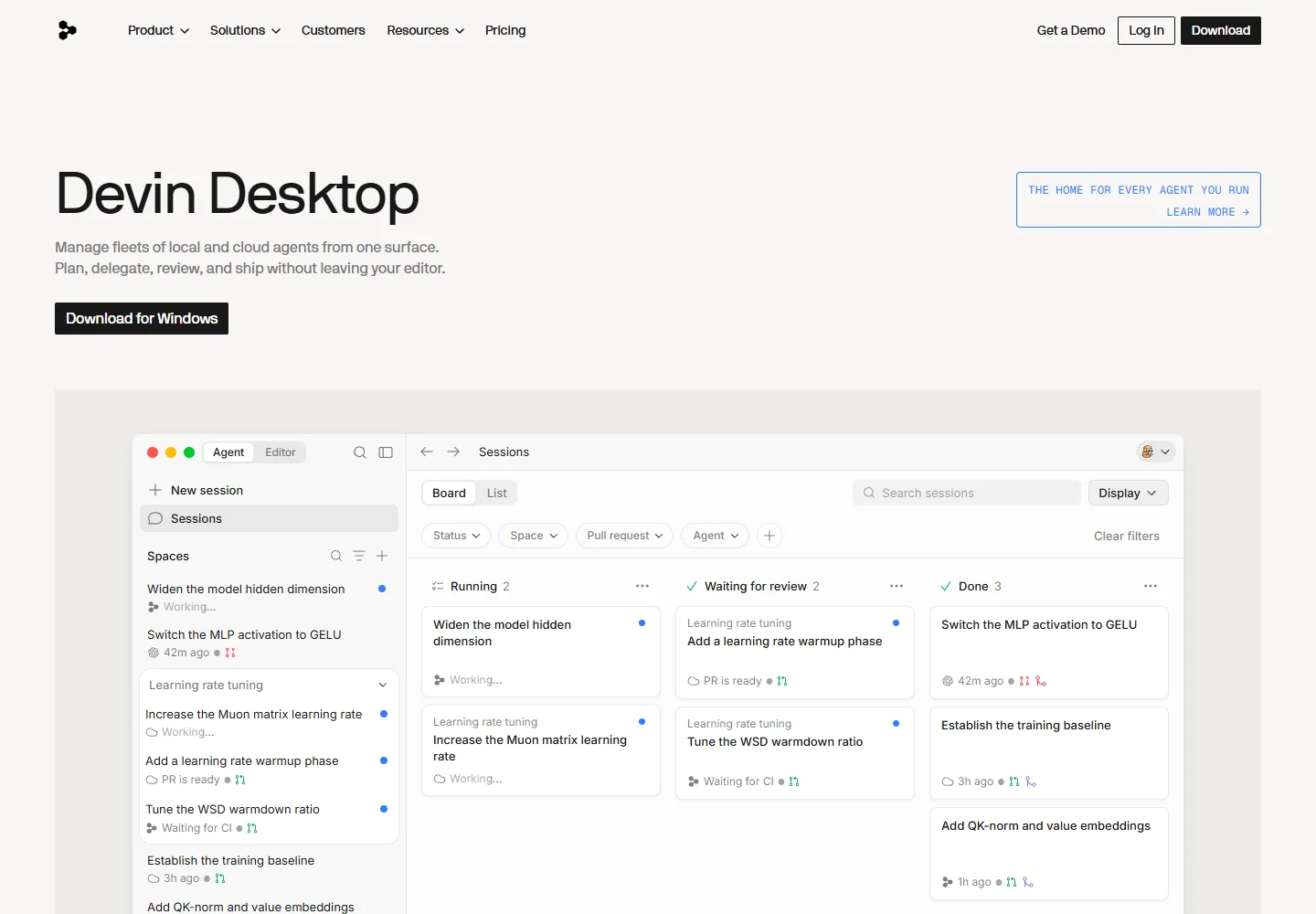
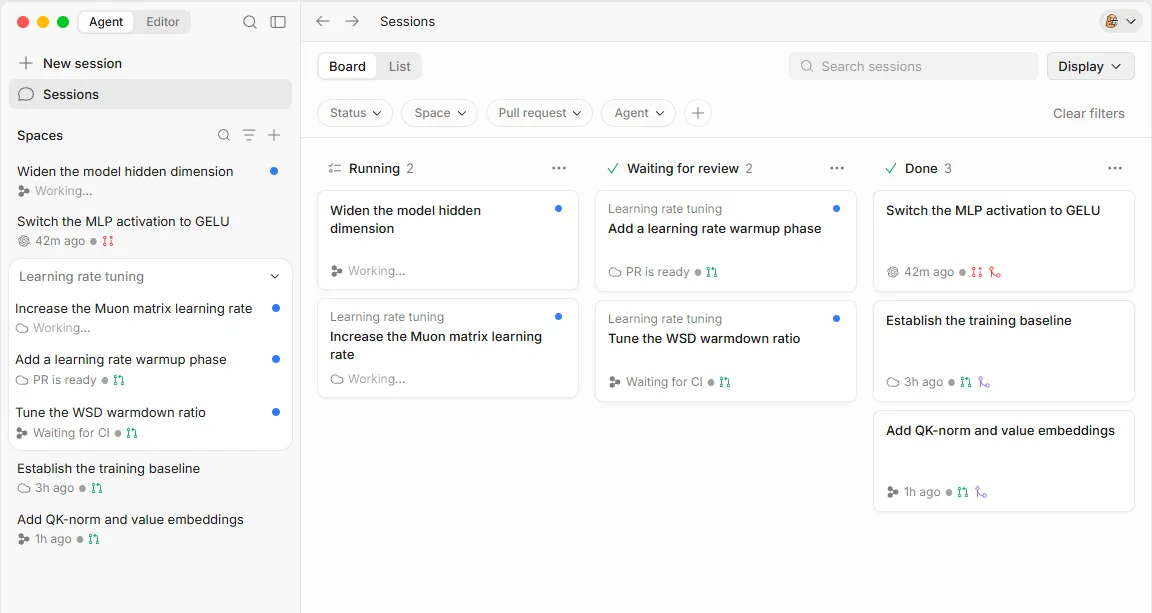
The Agent Command Center groups local and cloud sessions by status, making it easier to return to the tasks that need attention.
Agents in one place
Give every task a place.
Windsurf's editor foundation now continues as Devin Desktop, combining hands-on coding, Cascade conversations, and a shared view of local and cloud agent work.
Meet the tool
The familiar editor remains available alongside the Agent Command Center. Use its Kanban view to see active work, requests for attention, and results ready for review.
Spaces group a task's sessions, files, pull requests, and context. Cascade remains a local assistant for exploring code and making changes, with reusable workflows for recurring steps.
| Aspect | What to expect | Evidence |
|---|---|---|
| Current name | Devin Desktop; formerly Windsurf | Official guide ↗ |
| Workspace | Agent Command Center alongside the code editor | Official guide ↗ |
| Local assistant | Cascade with Code and Chat modes | Official guide ↗ |
What it helps you do
The Agent Command Center groups local and cloud sessions by status, making it easier to return to the tasks that need attention.
Spaces collect related files, sessions, and pull requests. New sessions can inherit shared context when that setting is enabled.
Use Code mode to modify a project and Chat mode to explore it, with editor and terminal selections included as context.
Inside the workflow
A closer look from the official resources. Open the image to inspect it at full size.
Start here
Open the project and group related sessions, files, and context so the work remains easy to return to.
Use Cascade for a local code change, then follow task status from the Agent Command Center as the work progresses.
Return to the editor to inspect the result. Save recurring Cascade steps as a workflow you can invoke again.
VibeAtlas editorial guidance
A suggested evaluation, based on the documented workflow.
If you already use Windsurf, start by opening a familiar project in Devin Desktop. Run a small local task and follow it through the Agent Command Center. Group the related work in a Space, then check whether its files and review context are easy to find when you return.
Before moving a team workflow, inspect the migration guide and test any recurring instructions or integrations. Keep the tool attribution on older projects clear so readers understand the Windsurf name.
Questions before you start
The official FAQ identifies Devin Desktop as the new name for Windsurf, with the existing editor retained. VibeAtlas keeps the Windsurf route so previously attributed projects remain understandable, while linking to the current product and documentation.
Read the official explanationYes. The transition guide says the editor, extensions, and keybindings remain available alongside the Agent Command Center. The change brings task organization to the front of the experience rather than removing the editor workflow.
Read the official explanationCascade is the local assistant for exploring and changing a project. Code mode performs implementation work, while Chat mode supports discussion and investigation. Relevant editor and terminal selections can provide context for the conversation.
Read the official explanationNo. Cascade workflows are manually invoked procedures, and the documentation distinguishes them from Devin Local skills. Follow the documented migration process when moving recurring procedures instead of assuming the same files execute unchanged.
Read the official explanationMade with this tool
These projects are part of the current public VibeAtlas collection.
Resources
Summarized from these official resources. Check the website for current features and plans.
Guide updated
Explore more tools