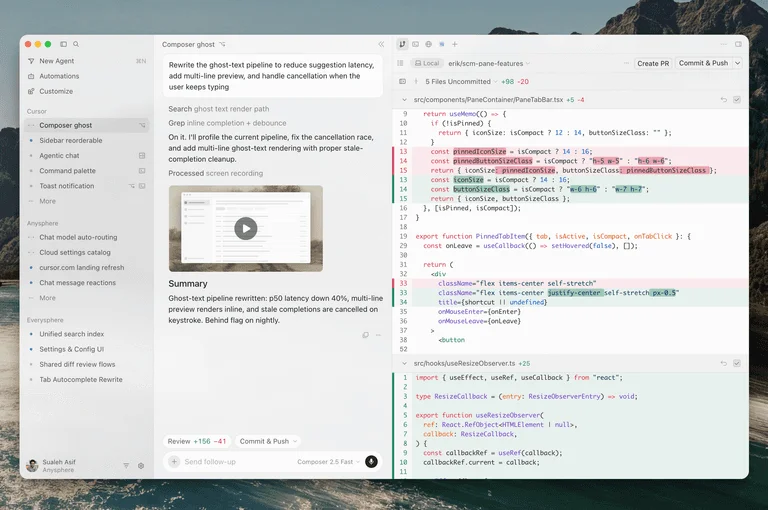
Tab follows the next edit
Suggestions can span several lines and point to a related change in another file, keeping repetitive edits close to your cursor.
Code in context
Keep your hands in the code.
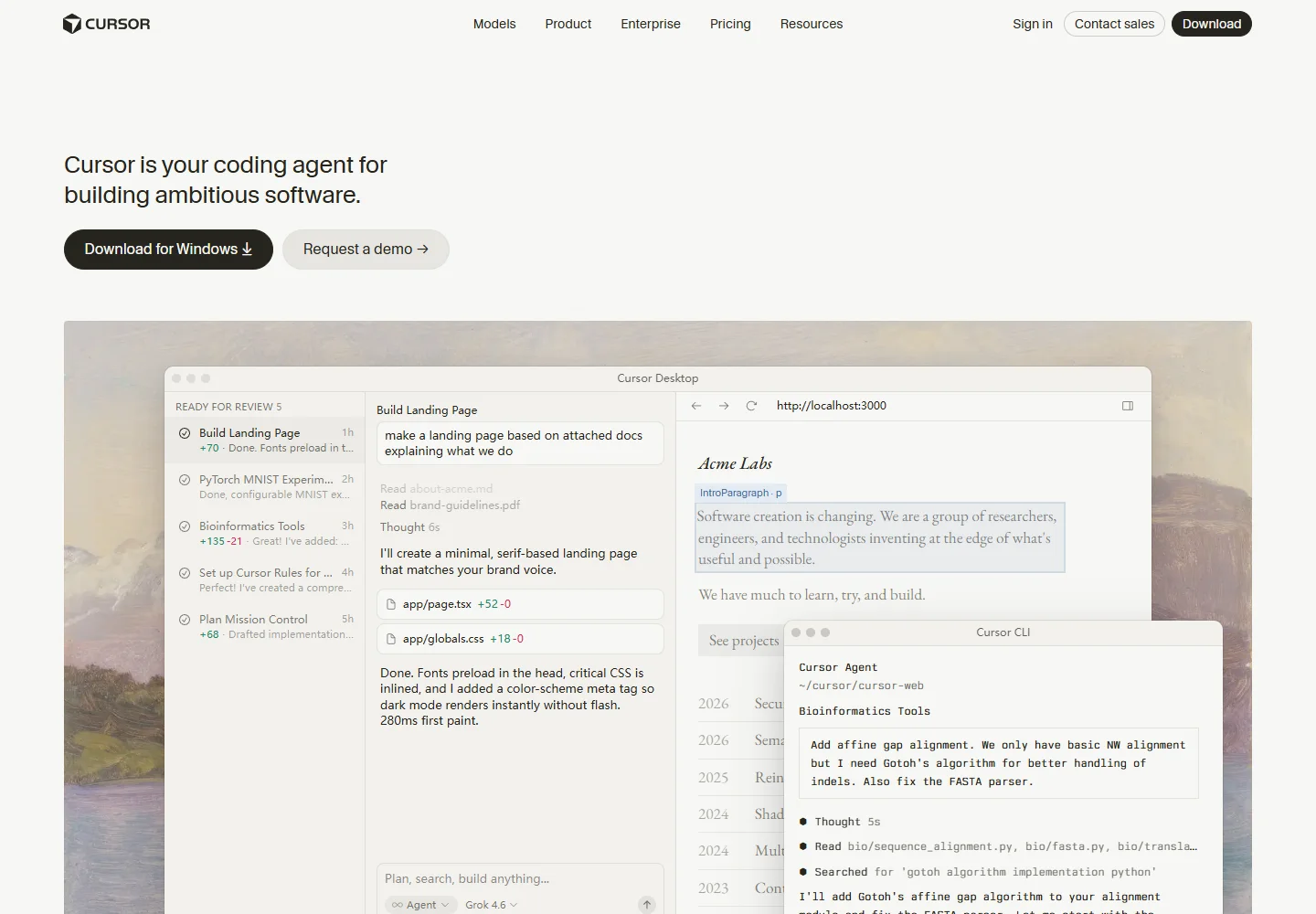
Cursor brings inline suggestions, codebase exploration, and coding agents into an editor, so you can move between hands-on changes and delegated implementation.
Meet the tool
Tab suggests related edits while you type, including changes across lines and files. This makes Cursor a natural fit for developers who want to stay close to their implementation.
For larger tasks, Agent can inspect the repository, change files, and run commands. Plan Mode creates an editable approach first, while Agent Review provides a separate check of local changes.
| Aspect | What to expect | Evidence |
|---|---|---|
| Workspace | Code editor with integrated agents | Official guide ↗ |
| Agent tools | Repository search, file editing, and terminal commands | Official guide ↗ |
| Change recovery | Agent checkpoints; Git remains permanent version control | Official guide ↗ |
What it helps you do
Suggestions can span several lines and point to a related change in another file, keeping repetitive edits close to your cursor.
Explore requirements and the codebase before implementation. Edit the resulting plan, then ask Agent to build from it.
Run Agent Review on local changes and choose a review depth suited to the size and complexity of the work.
Inside the workflow
A closer look from the official resources. Open the image to inspect it at full size.
Start here
Open your project and describe a concrete change. Use Agent to locate the files and dependencies involved.
Use Plan Mode for a larger feature; refine the approach before building. Use Tab for focused edits as you work.
Inspect the changed files, run project checks, and request Agent Review before deciding which changes to keep.
VibeAtlas editorial guidance
A suggested evaluation, based on the documented workflow.
Ask Agent to fix a reproducible issue that crosses two or three files. Compare its investigation and final diff with your own understanding of the code. Then make a short manual change with Tab to see whether the editor improves the work you do between delegated tasks.
Judge the result by the changed behavior and project tests. A checkpoint is useful during an experiment, but keep durable changes in version control and review them through your normal process.
Questions before you start
Yes. Agent can search repository files, read relevant code, edit files, and run terminal commands. Start with a concrete expected result and the context needed to reproduce it, then inspect the generated changes in your project.
Read the official explanationTab provides editing suggestions as you work in the code. Agent takes on a task using tools such as search, file edits, and commands. They serve different scales of work, and can be used together during an implementation.
Read the official explanationAgent checkpoints capture local code state during a session and can restore earlier file contents. They are separate from Git and are intended for undoing agent changes, so they should not replace permanent project version control.
Read the official explanationPlan Mode explores requirements and code before producing a plan you can revise. Use it for a feature with several possible approaches, then inspect the resulting diff and test results after asking Agent to implement it.
Read the official explanationMade with this tool
These projects are part of the current public VibeAtlas collection.
Resources
Summarized from these official resources. Check the website for current features and plans.
Guide updated
Explore more tools