
Plan before building
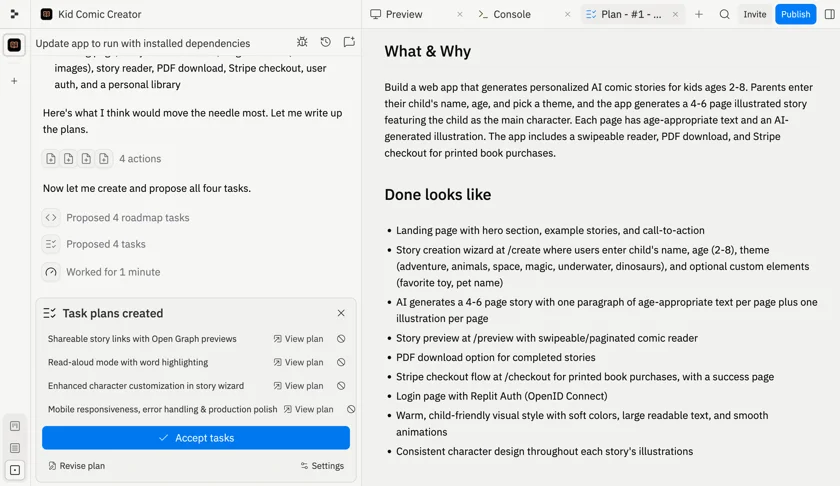
Plan mode turns an uncertain brief into a proposed sequence of tasks, leaving room to refine the approach before implementation.
Build and host
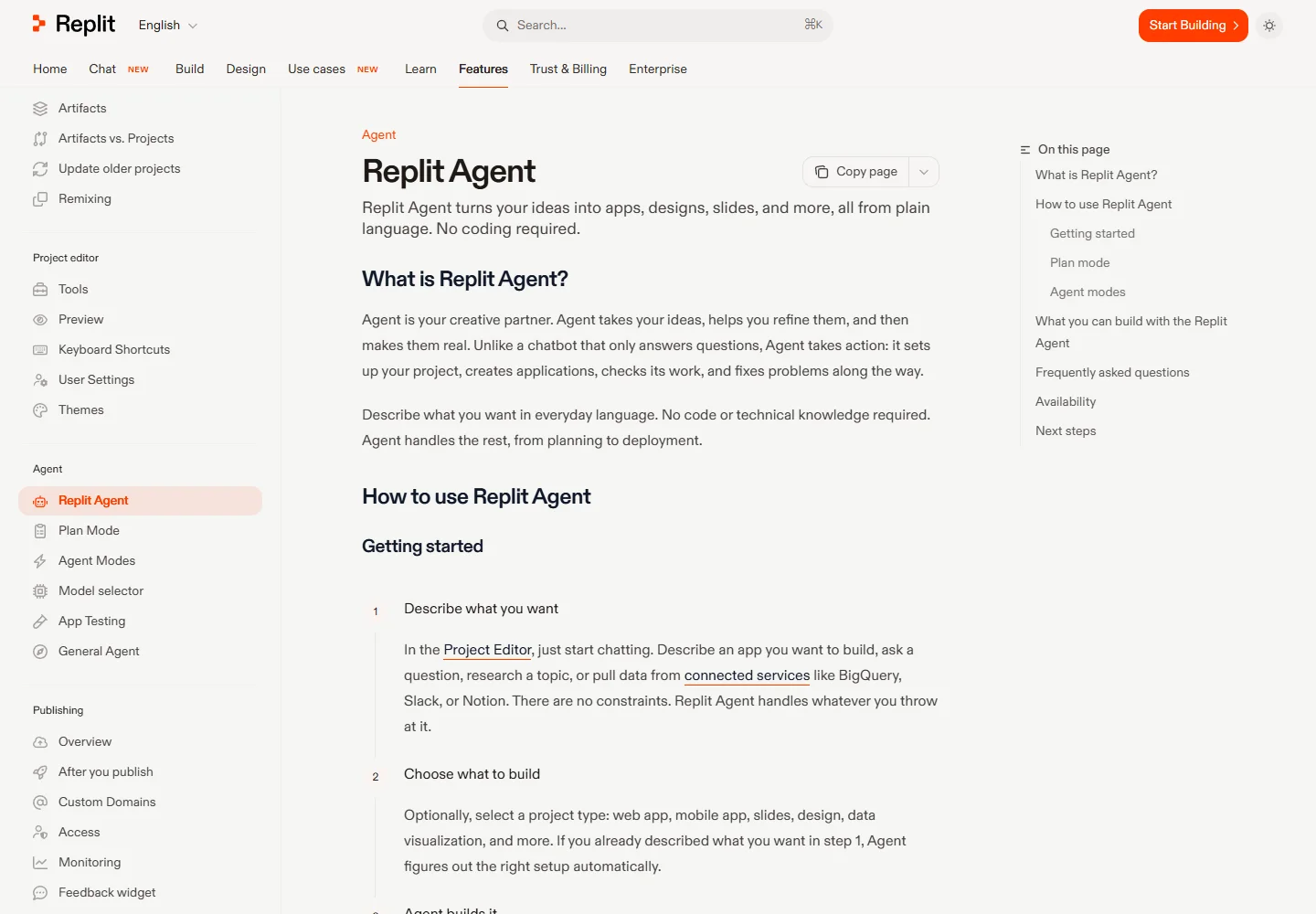
An idea needs somewhere to run.
Replit brings an AI building agent, a project editor, data services, and publishing into one workspace. It suits projects that need working behavior as well as a convincing interface.
Meet the tool
Describe the job your application should do, then develop it through conversation with Agent. The platform combines application building with authentication, storage, and service integrations.
Its built-in SQL database gives the project persistent records. An appointment request or saved item can therefore become an actual application flow rather than a temporary screen state.
| Aspect | What to expect | Evidence |
|---|---|---|
| Workspace | Agent, project editor, and publishing | Official guide ↗ |
| Persistent data | Built-in SQL database | Official guide ↗ |
| Release model | Publishing creates a separate live application | Official guide ↗ |
What it helps you do
Plan mode turns an uncertain brief into a proposed sequence of tasks, leaving room to refine the approach before implementation.
Agent can connect the SQL database and define the data structure. The database tool also lets you inspect and edit records.
Publishing creates a separate live instance. Choose hosting that fits an interactive app, a static site, or a scheduled task.
Inside the workflow
A closer look from the official resources. Open the image to inspect it at full size.
Start here
Start with a clear user action and expected result. Ask Plan mode to outline the first working version.
Let Agent implement the flow, then exercise it with representative inputs. Describe concrete corrections in the same project.
Publish the version you have checked. After further edits, publish again to update what visitors receive.
VibeAtlas editorial guidance
A suggested evaluation, based on the documented workflow.
Build an appointment-request form with a saved record and a status view. Exercise it in the workspace, publish it, and repeat the same actions on the live URL. This gives you a concrete test of both the Agent workflow and the hosting setup.
Check persistence after a new release and review the selected hosting option. Development previews are useful during implementation, but your evaluation should include the behavior that visitors receive after publishing.
Questions before you start
Agent can build applications through natural-language instructions and use the workspace's tools and services. A useful evaluation includes a real interaction and stored data, followed by testing the published version rather than stopping at the first preview.
Read the official explanationUse a database or an appropriate storage service. Replit provides a SQL database and tools for inspecting records. Do not treat files written inside a running published instance as the application's durable database.
Read the official explanationPublishing creates a separate live version of the application. After editing, publish again to deliver the new version. Choose the documented hosting option that matches an interactive application, a static site, or scheduled work.
Read the official explanationAgent checkpoints provide a way to return to an earlier project state. Inspect the checkpoint and its scope before restoring, particularly when the experiment involved application data or other resources beyond the visible code changes.
Read the official explanationMade with this tool
These projects are part of the current public VibeAtlas collection.
Already built something with it? Put your work on the map.
Resources
Summarized from these official resources. Check the website for current features and plans.
Guide updated
Explore more tools