
An editable first draft
Start from a site brief, then alternate between prompting and canvas edits as the design becomes more specific.
Visual websites
Shape the website on the canvas.
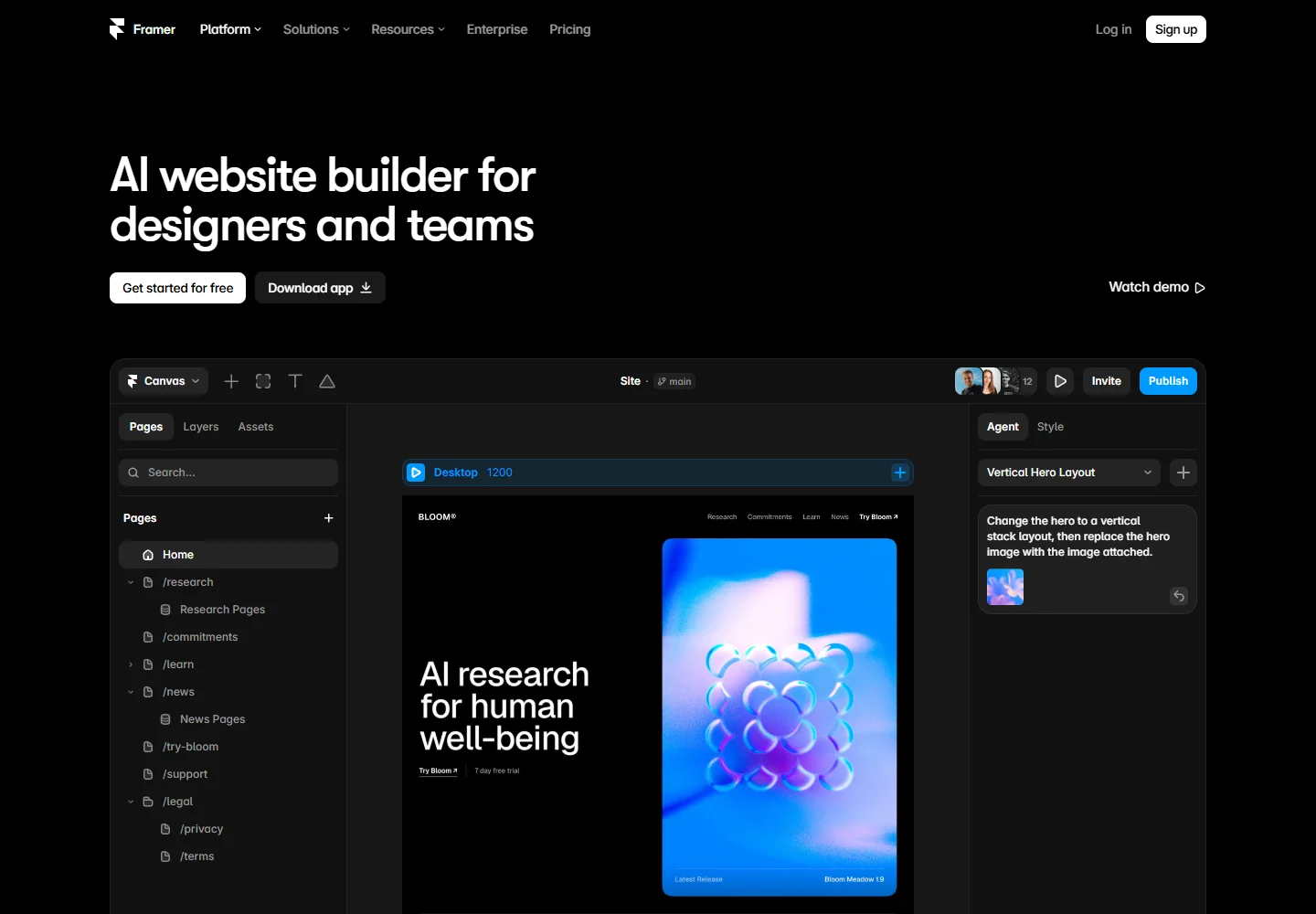
Framer combines AI-assisted website creation with direct visual editing. Use conversation to find a direction, then work on layout, imagery, content, and responsive behavior in the same project.
Meet the tool
The agent creates editable Framer pages. You can ask for a section change, then adjust its spacing or typography yourself without starting a separate implementation process.
CMS support gives repeated content a structure. Agents can create collections, define fields, and import a CSV, making it useful for portfolios, team pages, and editorial websites.
| Aspect | What to expect | Evidence |
|---|---|---|
| Output | Editable website pages on the Framer canvas | Official guide ↗ |
| Visual input | Prompts, screenshots, and attached assets | Official guide ↗ |
| Content | CMS collections supported by the Agent | Official guide ↗ |
What it helps you do
Start from a site brief, then alternate between prompting and canvas edits as the design becomes more specific.
Framer's Workshop plugin generates components from descriptions, such as a calculator or image comparison, with editable property controls.
Auto Translate can follow changes on the canvas and in the CMS. Translations remain available for manual review and editing.
Inside the workflow
A closer look from the official resources. Open the image to inspect it at full size.

Start here
Give the agent a clear purpose, required sections, and visual references expressed in words. Begin with one important page.
Adjust the generated layers directly, then ask for focused changes to a selected part instead of restarting the site.
Use a branch to explore a larger revision, review the changes, then apply it to the main project before publishing.
VibeAtlas editorial guidance
A suggested evaluation, based on the documented workflow.
Choose a product-page section that includes a heading, a visual, and a clear action. Supply the copy and imagery you intend to publish, generate the section, then refine it on the canvas. Check its desktop and phone layouts before expanding to the rest of the site.
For an editorial website, include one real CMS collection in the trial. Inspect how its content appears in the design, and budget time for reviewing layout and translations rather than treating generation as the final edit.
Questions before you start
Yes. Framer Agents place generated content and layouts on the editable canvas. Continue with manual adjustments or focused prompts in the same project, so the generated result can become part of the ongoing design process.
Read the official explanationSelect the section on the canvas before sending the next prompt. The context tool tells the Agent which area to work on. The official guide recommends building section by section to keep changes easier to control.
Read the official explanationYes. You can attach visual references and assets such as logos and product images. Add written instructions about structure and behavior as well; an image helps communicate appearance, while the prompt explains what the section should do.
Read the official explanationThe official AI page describes creating collections and populating CMS content through the Agent. Review the resulting fields and page layouts, especially when the site needs repeated content with filtering, pagination, or editorial workflows.
Read the official explanationMade with this tool
These projects are part of the current public VibeAtlas collection.
Already built something with it? Put your work on the map.
Resources
Summarized from these official resources. Check the website for current features and plans.
Guide updated
Explore more tools