
Use a visual starting point
Attach a screenshot with instructions about behavior, giving v0 a concrete layout and style to work from.
Design into working code
Shape the interface. Ship the app.
Vercel’s v0 connects visual creation with full-stack web development. Start from a prompt or design reference, refine the interface, then add data and deploy.
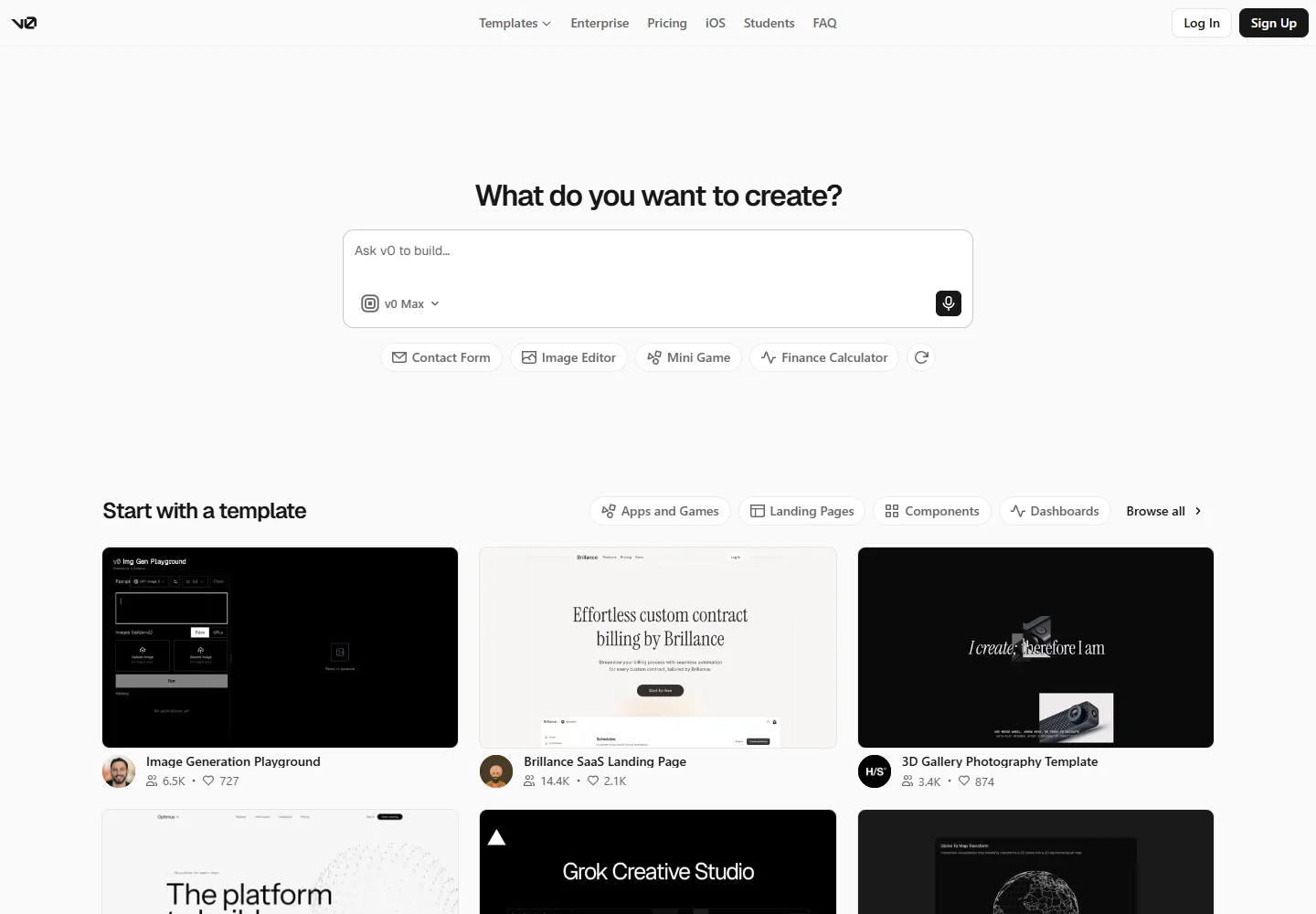
Meet the tool
v0 accepts descriptions, screenshots, and design references as starting points for an application. The generated interface remains connected to editable source code as you refine the experience.
Its full-stack workflow defaults to Next.js and connects to the Vercel ecosystem. Database integrations and deployment extend a visual prototype into an application with persistent data.
| Aspect | What to expect | Evidence |
|---|---|---|
| Primary workflow | Prompt or design reference into editable web code | Official guide ↗ |
| Default stack | Next.js, within the Vercel ecosystem | Official guide ↗ |
| Data integrations | Connect services such as Neon, Supabase, and Upstash | Official guide ↗ |
What it helps you do
Attach a screenshot with instructions about behavior, giving v0 a concrete layout and style to work from.
Select elements in the preview, adjust typography or spacing, then apply those edits as a new code version.
Add services such as Neon, Supabase, or Upstash through integrations, and deploy the project to Vercel.
Inside the workflow
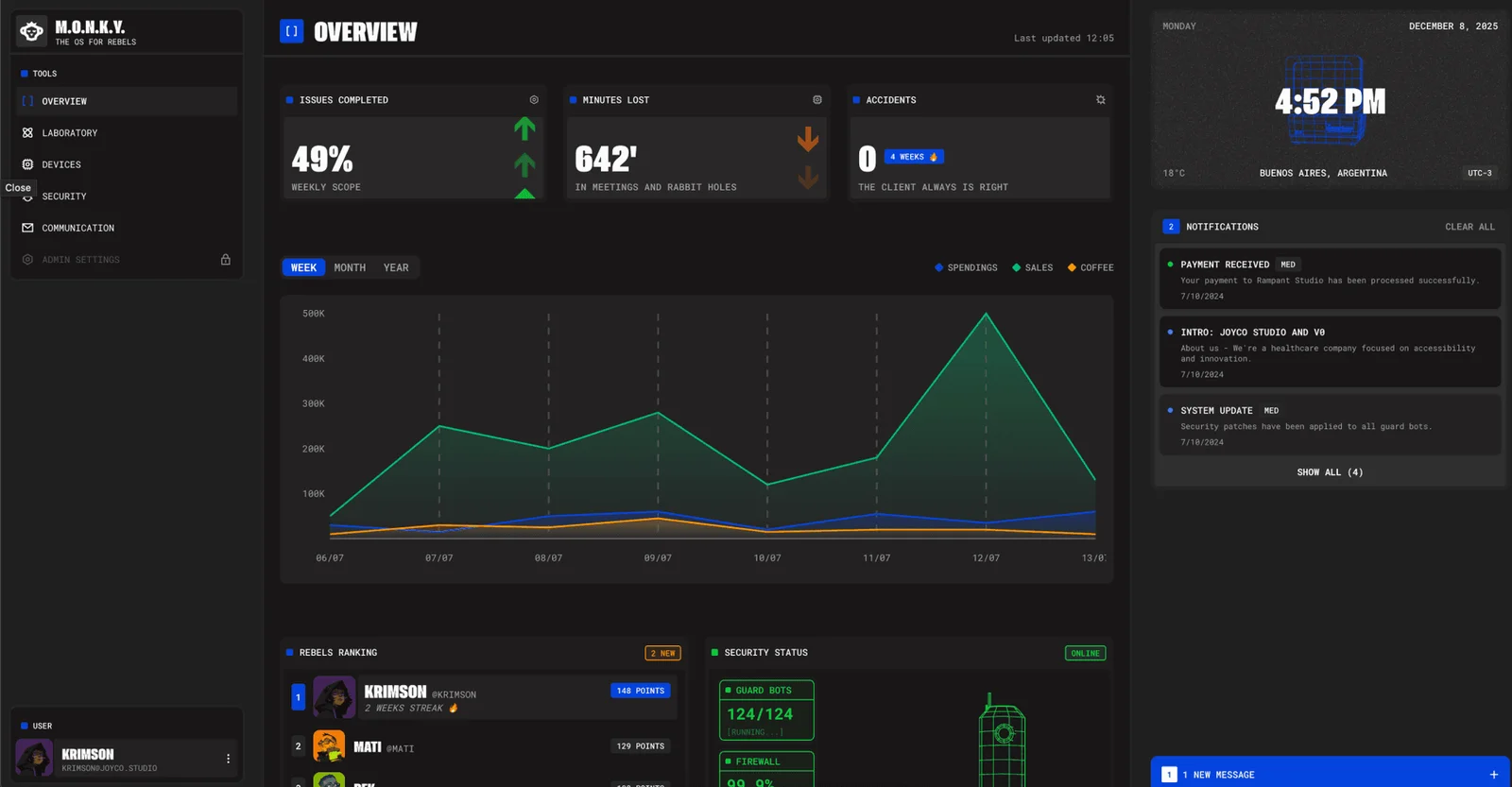
A closer look from the official resources. Open the image to inspect it at full size.
Start here
Provide a prompt or screenshot, explain the main actions, and review the first working layout.
Add persistence and backend functionality in focused steps, checking each user flow as it becomes real.
Use Design mode or Code view for refinements, then publish through the connected Vercel workflow.
VibeAtlas editorial guidance
A suggested evaluation, based on the documented workflow.
Start with a dashboard based on a clear design reference. Ask for one real data source and a useful empty state, then check the generated components and the loading behavior. Use the same trial to judge how well the code fits your team's existing React conventions.
Before release, test the deployed application with realistic records and missing data. Decide which team owns the connected database and its credentials; those responsibilities continue after the interface is generated.
Questions before you start
No. The documentation covers full-stack applications, database connections, and deployment as well as interface generation. Build the application in focused steps so you can verify persistence and server behavior separately from the visual layout.
Read the official explanationYes. v0 accepts screenshots and design references. Describe the expected interactions alongside the image: a screenshot communicates appearance, but cannot by itself specify validation, permissions, or what should happen after a user submits a form.
Read the official explanationThe full-stack guide identifies Next.js as the default and most reliable path. Other frameworks may be possible, but check the generated project and required integrations rather than assuming the same workflow for every stack.
Read the official explanationConnect an appropriate database through the documented integrations, which include services such as Neon, Supabase, and Upstash. Then verify the schema, environment variables, and user access rules in the deployed project.
Read the official explanationMade with this tool
These projects are part of the current public VibeAtlas collection.
Already built something with it? Put your work on the map.
Resources
Summarized from these official resources. Check the website for current features and plans.
Guide updated
Explore more tools